Blur Image
A simple way to blur parts of an image - faces, backgrounds, or anything else. Upload a photo or paste a link, choose blur intensity, and mark the area: rectangle, circle, polygon or brush. Your image never leaves the browser. Save as JPG, PNG or WebP.
Blur images the way you need
Hide sensitive info, anonymize faces, or create artistic effects - all right in your browser, with full control over what gets blurred and how.
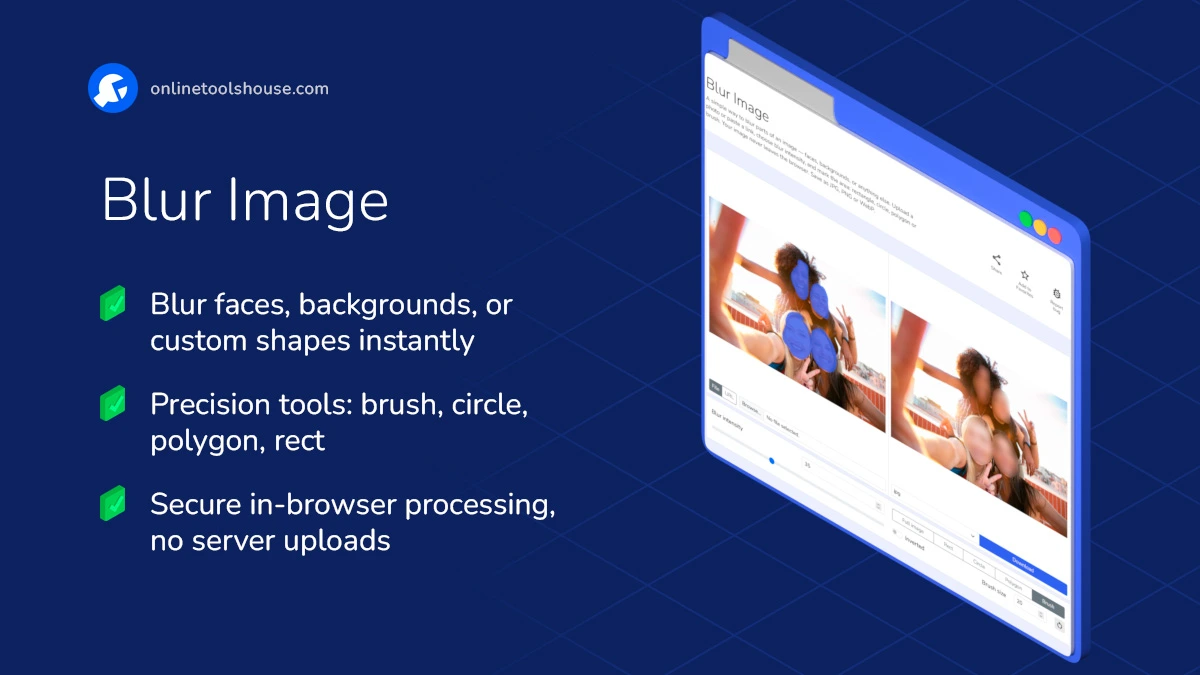
Key Features
- Upload or paste a link - Use your own image or one from the web.
- Multiple blur modes - Apply blur to the entire image, or just a selected area: rectangle, circle, custom polygon, or freehand brush.
- Adjustable intensity - Control how strong the blur should be.
- Privacy-friendly - No uploads. All processing happens locally in your browser.
- Download the result - Save your edited image as JPG, PNG, or WebP.
Perfect for content creators, designers, journalists, or anyone who needs to quickly blur out parts of an image - without installing anything.
How to Blur an Image Online
You may want to hide details or create a soft blur effect. This tool lets you blur any part of an image quickly in your browser. Upload your image and apply blur in a few clicks.
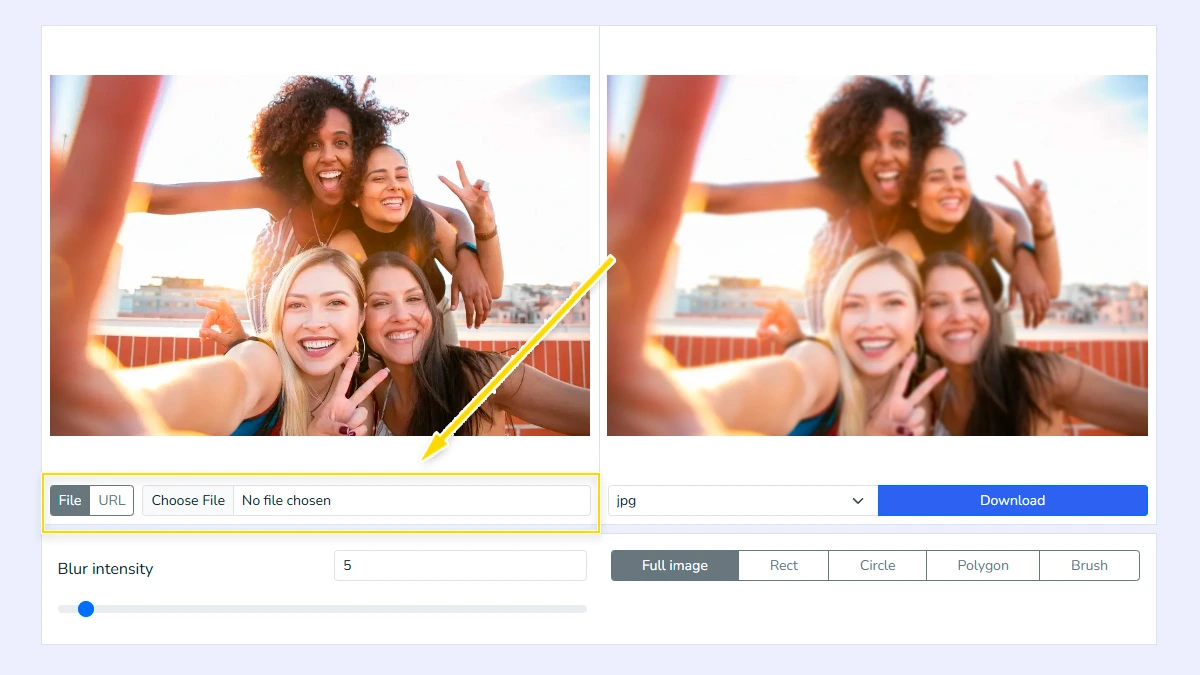
Upload image or paste URL1
Choose an image from your device or paste a direct link. The tool instantly loads it and shows a preview, so you can start editing without delays or installing extra software.
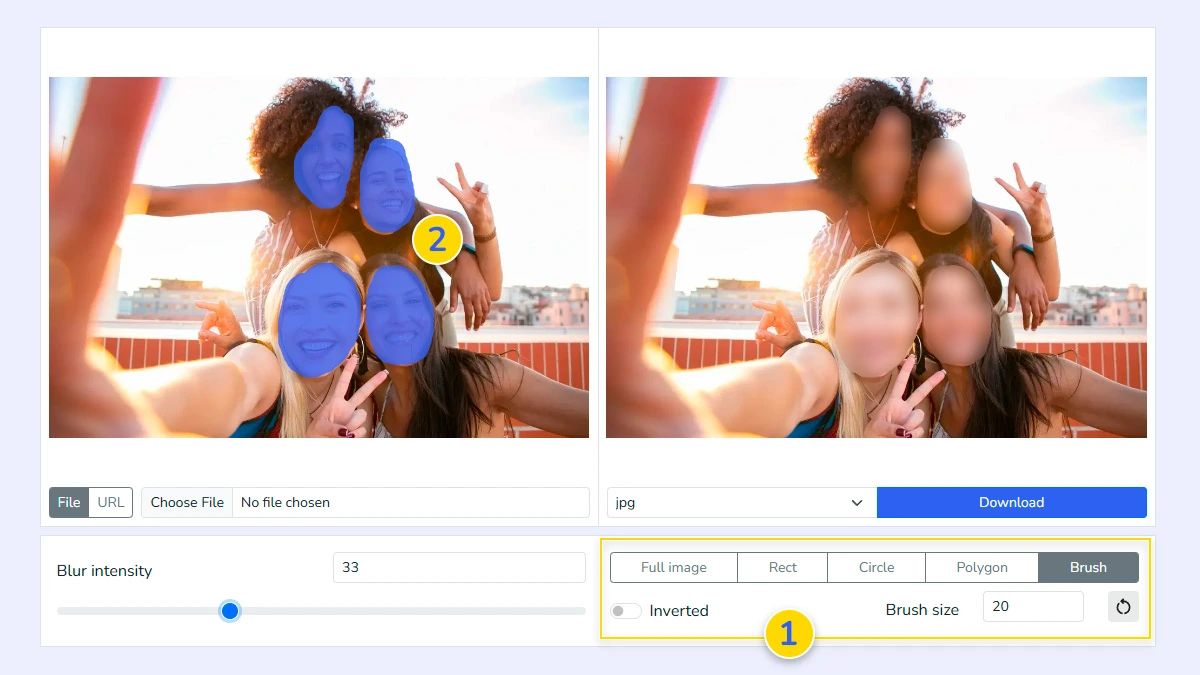
Select blur mode and area2
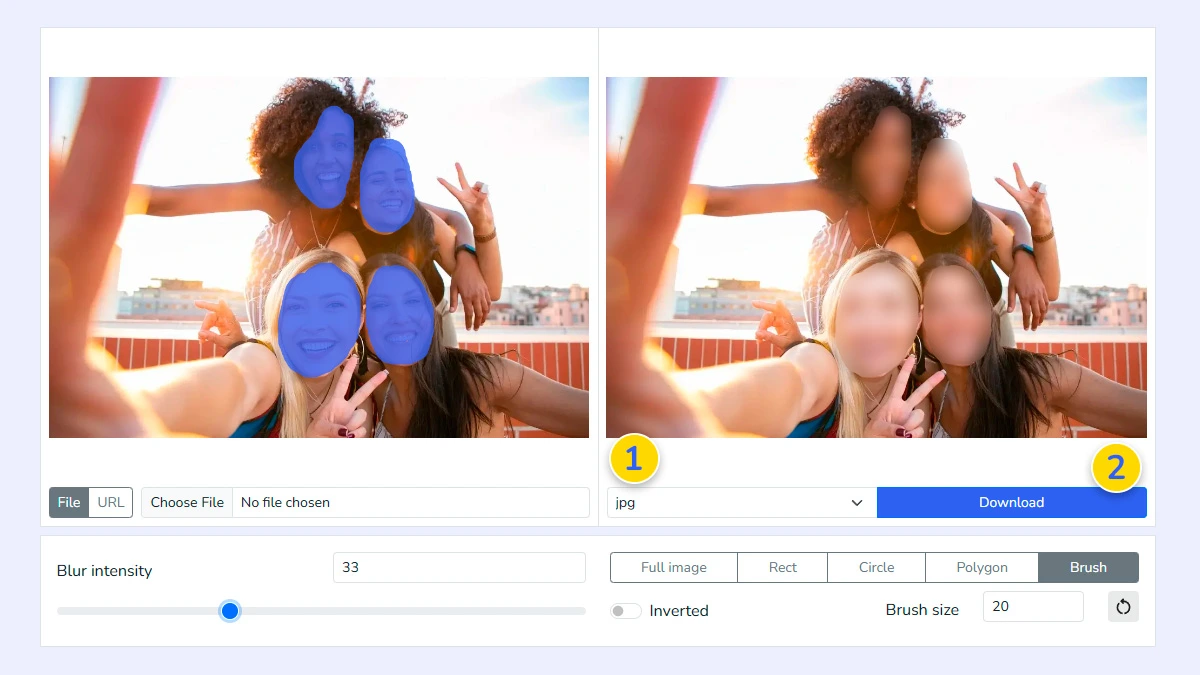
Select your preferred mode 1: Full image, Rectangle, Circle, Polygon, or Brush. Then highlight the specific faces, background, or objects you want to hide 2.
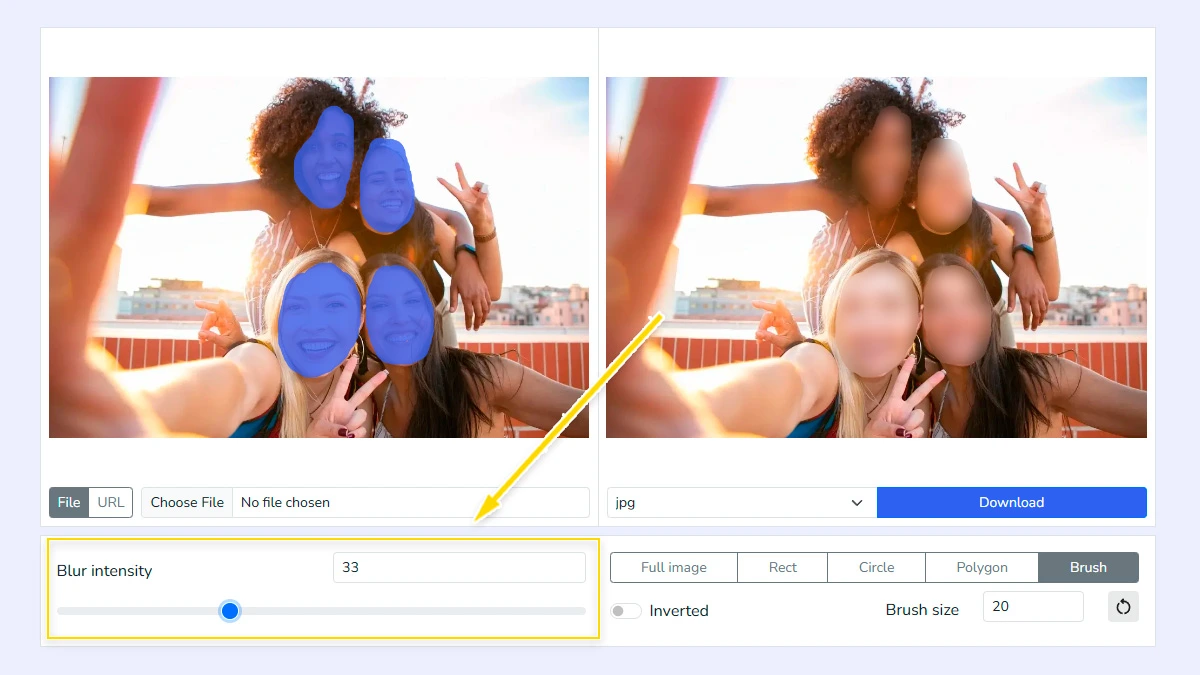
Adjust blur intensity3
Move the slider to change the strength of the blur effect. You can make the selected area slightly soft or completely unreadable to ensure maximum privacy for sensitive data or text.
Choose format and download4
Select the output format 1 such as JPG, PNG, or WEBP, then click download 2. Your processed image will be saved directly to your device without any watermarks or quality loss.
FAQ
Is my image saved on your servers?
No. All processing happens locally in your browser. Your images never leave your computer and are not stored on our server.
Can I blur a background using this tool?
Yes. Use the 'Brush' or 'Polygon' mode to select the background around your subject and apply the desired blur intensity.
Which image formats are supported?
You can upload JPG, PNG, and WebP files. You can also save the result in any of these formats regardless of the original.
Is there a limit on file size?
There is no hard limit, but large files (above 25MB) may slow down your browser performance during the editing process.
Can I unblur an image later?
No. The blurring process permanently modifies pixels in the output file to ensure data cannot be recovered for privacy reasons.
Can I blur multiple areas at once?
Yes. You can blur multiple parts of a photo using a brush.