Lorem Ipsum Generator
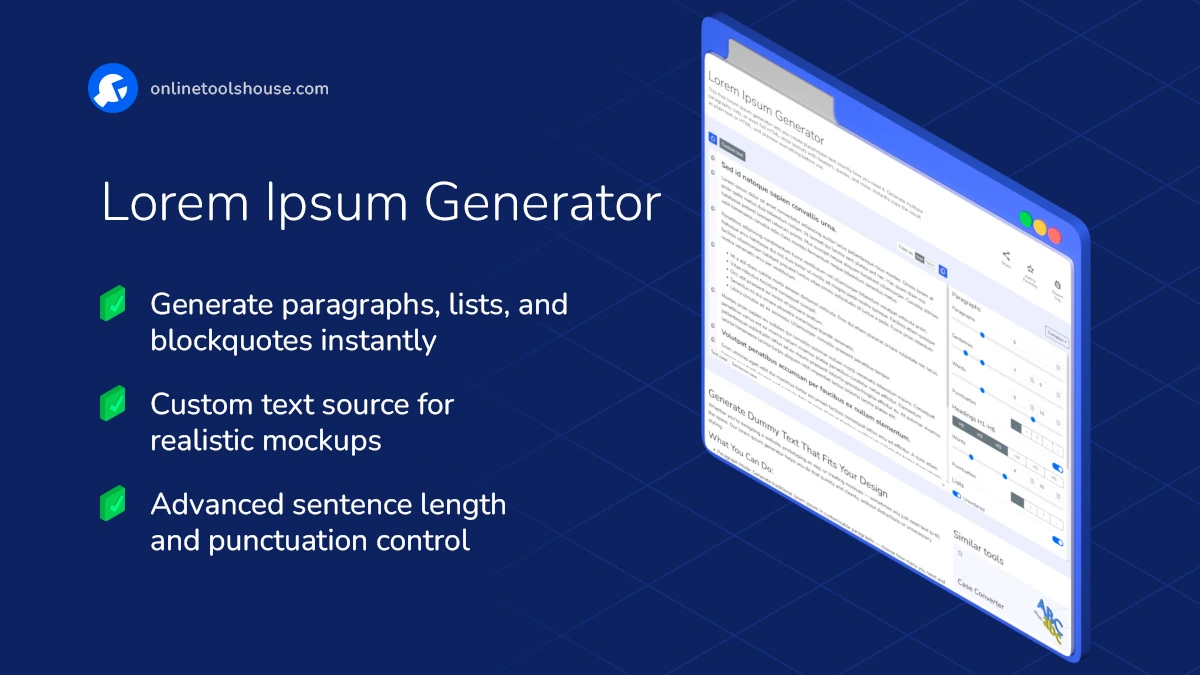
This free lorem ipsum generator lets you create placeholder text exactly how you need it. Generate multiple paragraphs, lists, or even full HTML-style layouts with headers, quotes, and more. Instantly copy the result as plain text or HTML, and preview everything before use.
Generate Dummy Text That Fits Your Design
Whether you're designing a website, prototyping an app, or creating mockups - sometimes you just need text to fill the space. Our lorem ipsum generator helps you do that quickly and cleanly, without distractions or unnecessary styling.
What You Can Do:
- Paragraph Mode: Generate traditional lorem ipsum in customizable paragraphs - choose how many you need and their length.
- List Mode: Create unordered or ordered lists filled with dummy text for menus, features, or bullet points.
- Blockquote Mode: Add some structure with lorem ipsum quotes using semantic HTML <blockquote> tags.
- Complex Layouts: Simulate a real-world layout with a mix of headings, text blocks, quotes, and lists - perfect for layout testing.
- Custom Text Mode: Want to use your own words instead of "Lorem ipsum"? Paste your base text and generate mock content based on that style.
Extra Features:
- Copy result as plain text or HTML
- Real-time preview of all changes
- Option to set min/max sentence/word count for more natural flow
How to Generate Dummy Text
Need to generate placeholder text for your project? You can quickly create dummy text in just a few clicks. Use our Lorem Ipsum Generator to get started instantly.
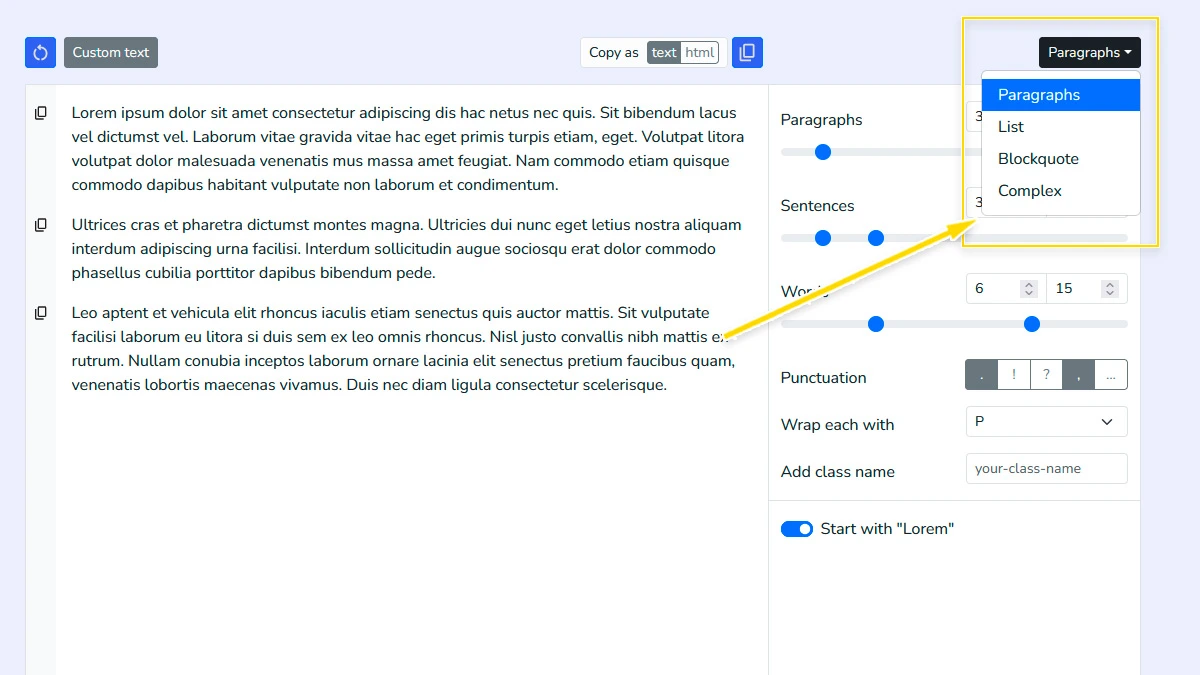
Choose generator mode1
Select the specific layout type you need: standard paragraphs, unordered lists, blockquotes, or a complex mode that mixes multiple elements for realistic page mockups.
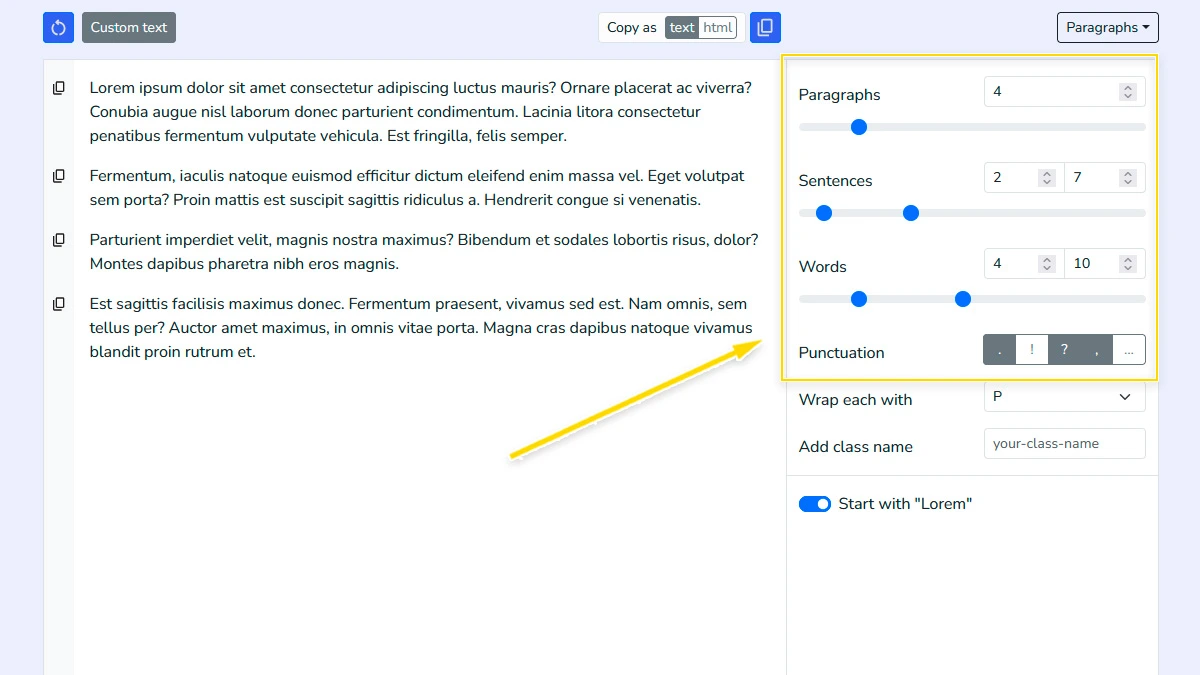
Configure text parameters2
Adjust the number of paragraphs and fine-tune sentence length, word count range, and punctuation styles to create dummy content that perfectly fits your design constraints.
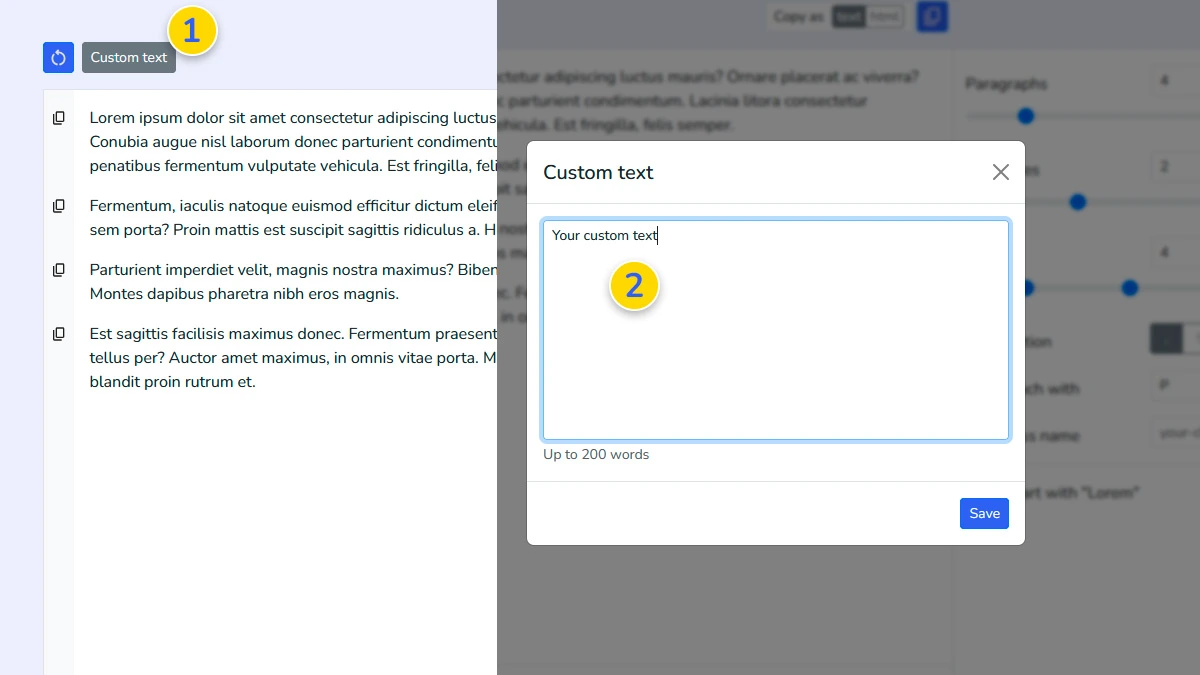
Use custom source text (Optional)3
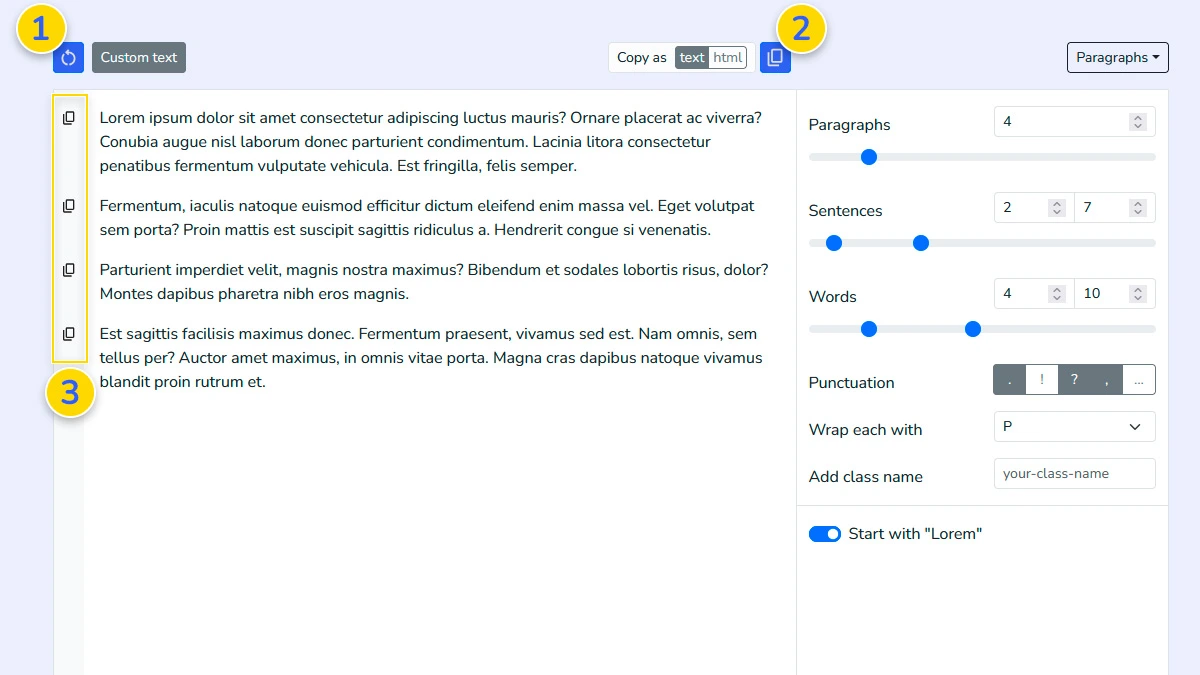
Optionally paste your own text snippet to serve as a base for generation. Click on the "Custom Text" button 1 and paste the text in the modal window 2. This allows the tool to maintain your specific vocabulary while shuffling the structure into new patterns.
Regenerate and copy4
Click the generate button 1 until the result looks exactly how you want. You can then copy the entire output 2 or only the specific fragments 3 you need for your project.
FAQ
Why is Lorem Ipsum used in design?
It allows designers to focus on layout, fonts, and hierarchy without being distracted by readable content or meaningful text.
Can I generate text in languages other than Latin?
Yes. Use the "Custom Text" option to provide a sample in any language, and the generator will shuffle it to create new paragraphs.
Does this generator create valid HTML?
Yes. It generates valid, semantic HTML (headings, lists, paragraphs) ready for your project. Support for custom classes is included.
Is there a limit to the number of paragraphs?
You can generate up to 100 paragraphs at a time. This is more than enough for most website pages or document mockups.
Is the generated content unique?
The tool uses a shuffling algorithm, so every "Generate" click produces a different variation of the text structure.
Can I use this dummy text for commercial projects?
Yes, the generated text is free to use in any personal or commercial projects, designs, and presentations.
Can I control sentence and word length?
Yes, you can set ranges for sentences and words to shape the output.
Can I use my own text instead of lorem ipsum?
Yes, custom text mode lets you generate filler text based on your own content.